 PUSH & LIFTPUSH & LIFT
Push & Lift · the dashboard floating over your simulator
PANEL is a pill-shaped dashboard (DDU) floating over the simulator. At a glance it shows gear, fuel, your pedals and the reference lap's pedals, RPM, next braking point and race alerts.
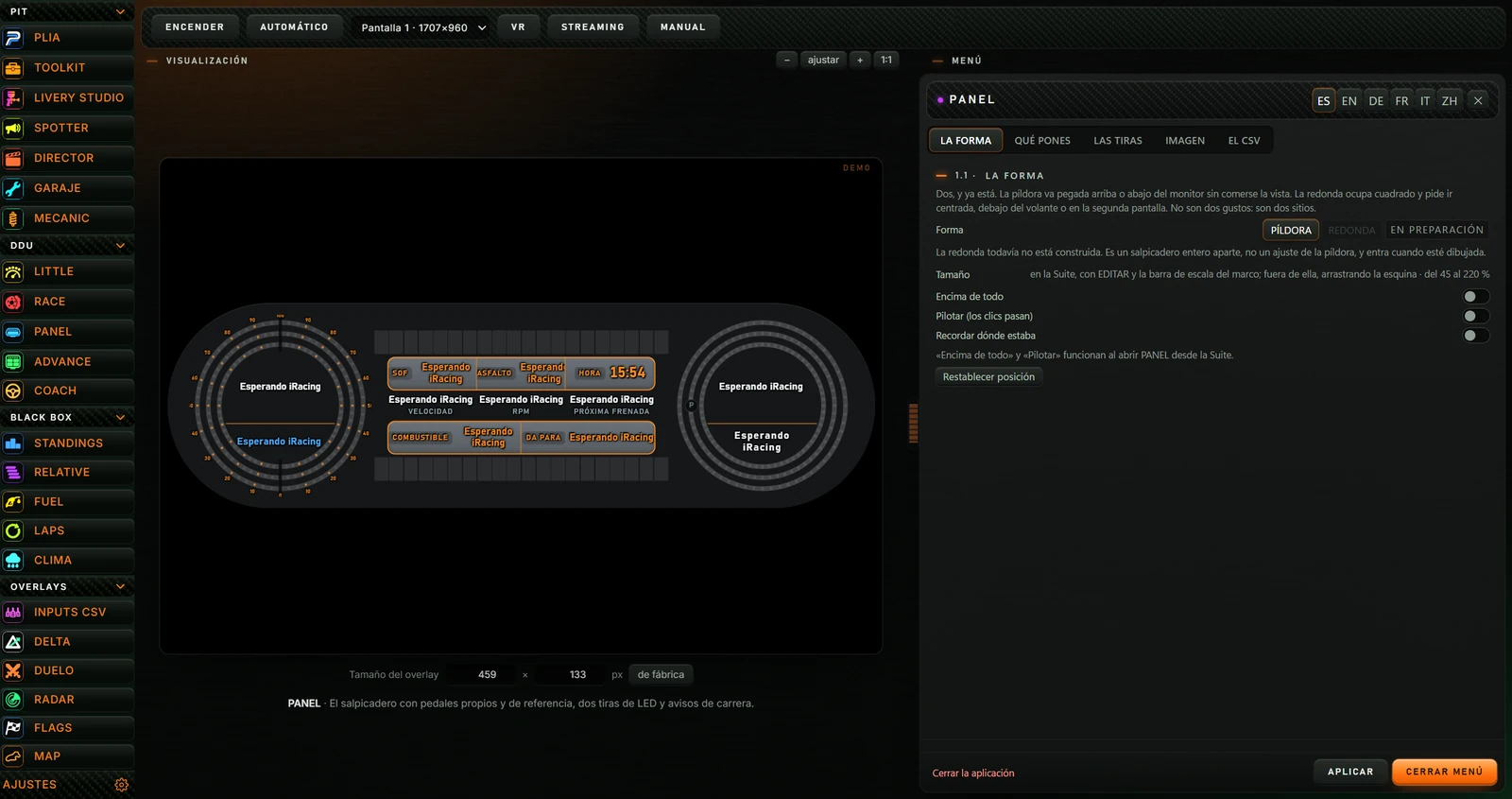

| Button | Action |
|---|---|
| ENCENDER (TURN ON) / APAGAR (TURN OFF) | Shows PANEL on screen. Changes to APAGAR when on; clicking again removes it. Switching on with this button puts overlays into editing mode with orange frames for positioning (see 4.2). |
| AUTOMÁTICO (AUTOMATIC) | When enabled, PANEL starts with iRacing or Le Mans Ultimate and stops when the simulator closes. Automatic startup does not enter editing mode. Click again to disable. |
| Dropdown Pantalla (Screen) | Select PANEL's monitor. Each is shown as “Pantalla 1 · width×height”, “Pantalla 2…”. Applies next time PANEL starts. |
| VR | Reminds you to capture “PL OVERLAYS” in OpenKneeboard for VR. All enabled overlays are in that window. |
| STREAMING | Copies PANEL's address for an OBS browser source and gives the size: 1060×460. The menu also offers an OBS address with a choice of background (see IMAGEN (APPEARANCE)). |
| MANUAL (MANUAL) | Opens PANEL's manual on the Push & Lift website in your browser. |
With PANEL off, its preview is on the left. The Suite requests demo data and shows DEMO at top right. Until data arrives, fields say “Esperando iRacing” (Waiting for iRacing), as above.

When on, the preview becomes a notice headed EN VIVO explaining that the overlay floats on screen and menu changes apply there immediately.
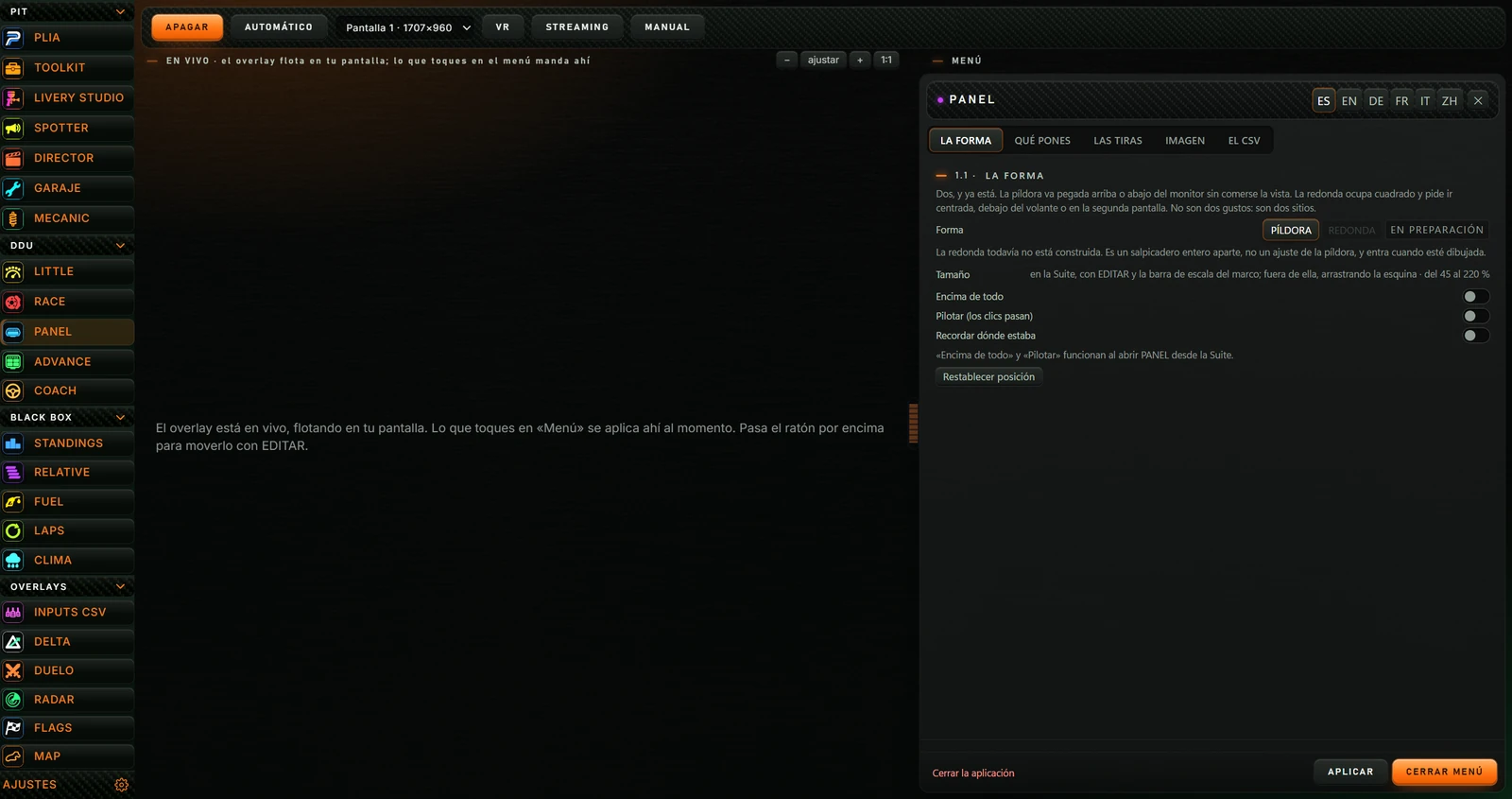
Until simulator data arrives, every field says “Esperando iRacing”. This is normal; they populate when you start driving.
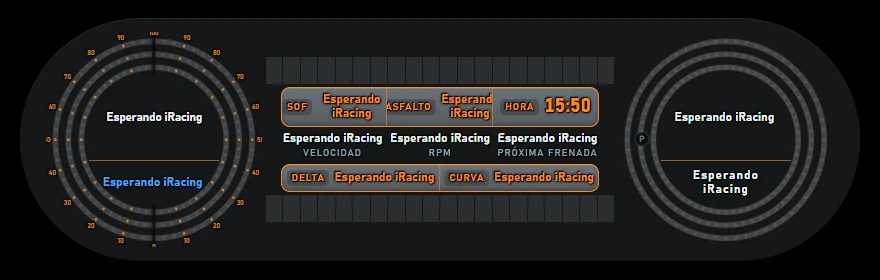
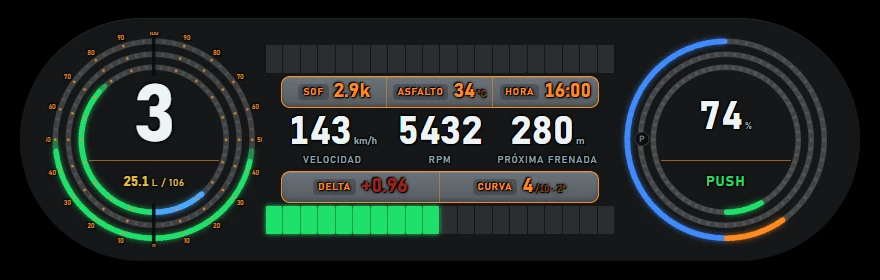
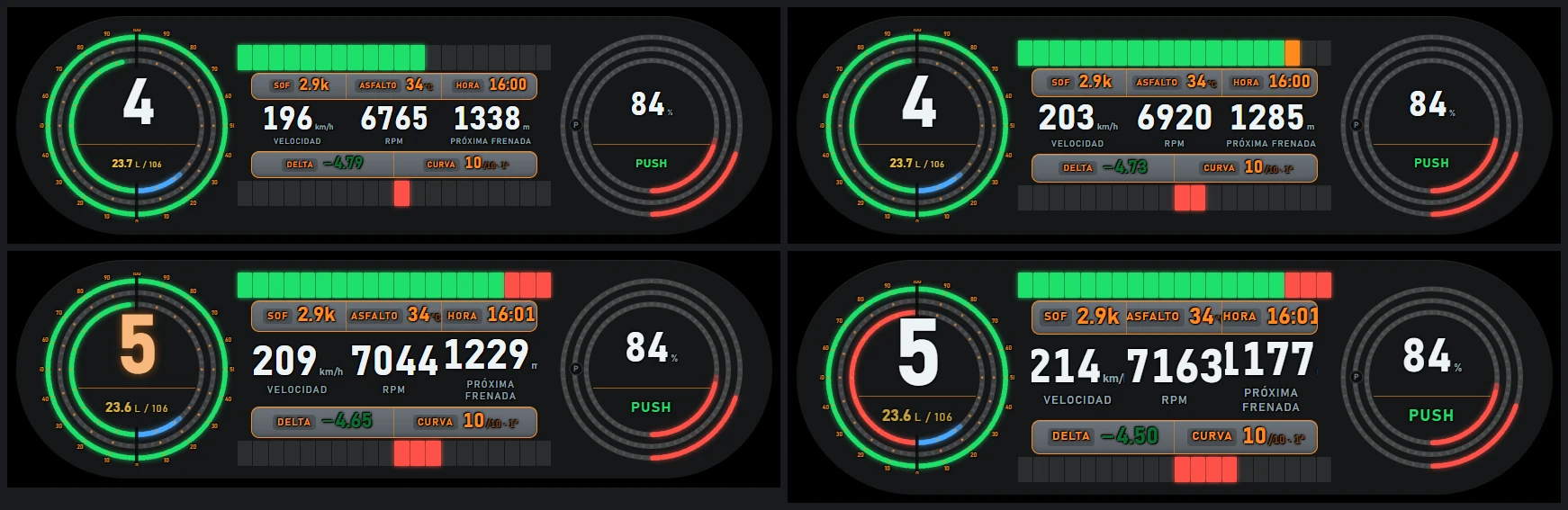
Left to right, PANEL has a left circle, centre and right circle. Factory settings are described here; change each area's contents in the menu.
| Ring | Left half: you | Right half: reference |
|---|---|---|
| Outer | Your throttle, green. | Reference throttle at this point, green. |
| Middle | Your brake, red. | Reference brake at this point, orange. |
| Inner | RPM towards the rev limit, green. Turns red near the limit. | Fuel remaining, blue. |
Compare the halves to see whether you accelerate or brake more or less than the reference lap.
| Area | What it shows |
|---|---|
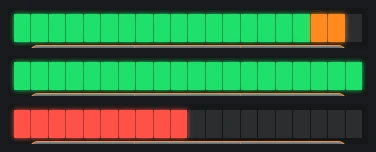
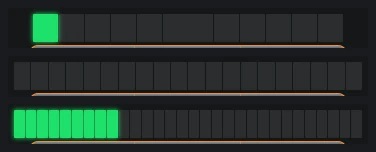
| Upper LED strip | RPM: green lights with the final three orange. At the shift point, the last three flash red. Configurable (see LAS TIRAS (THE STRIPS)). |
| SOF | Strength of field: for example 2.9k means 2900. |
| ASFALTO (TRACK) | Track temperature in °C. |
| HORA (TIME) | Your PC's local time. |
| VELOCIDAD (SPEED) | In km/h. |
| RPM | Engine RPM. This space can show gear or delta (see QUÉ PONES (WHAT TO SHOW)). |
| PRÓXIMA FRENADA (NEXT BRAKING POINT) | Metres to the reference lap's next braking point. Without a lap, shows Sin referencia (No reference). |
| Lower display | By default, the CSV row: DELTA seconds gained (green, −) or lost (red, +) against the reference, and CURVA (CORNER) the next corner, track's total corner count and reference gear, for example “7/10 · 2ª”. Configurable. |
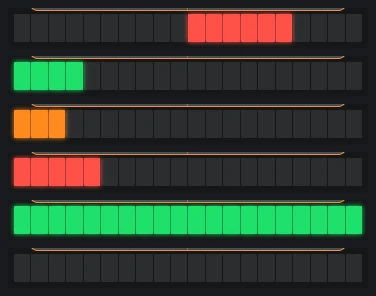
| Lower LED strip | By default CSV delta: grows from centre left in green when gaining, right in red when losing. Configurable. |
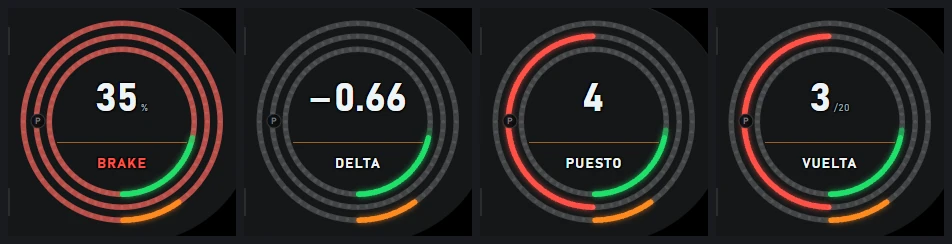
By default its central value is braking required for the next corner in the reference lap, as a percentage. Below, a word describes the reference at your current position:
This space can show other information (see QUÉ PONES (WHAT TO SHOW)). Surrounding rings are automatic alerts:
| Ring | Left half | Right half |
|---|---|---|
| Outer | Current track flag, in its colour. | Your incidents from 0 to 10: green at 0, orange at 1 or 2, red above that. |
| Middle | Fully red when a nearby car poses a danger. | Blue when ABS intervenes, orange when traction control intervenes. |
| Inner | — | Your delta: green when gaining, red when losing. Fills completely at 1.5 seconds. |
A small P appears in grey to the circle's left.
PANEL lives with other overlays in a monitor-sized transparent window called PL OVERLAYS. It stays above the simulator.
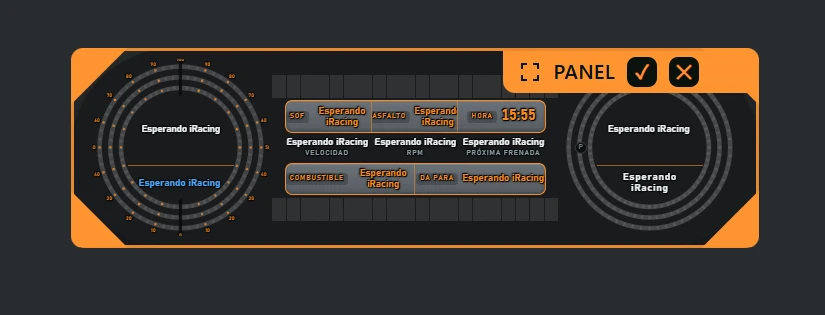
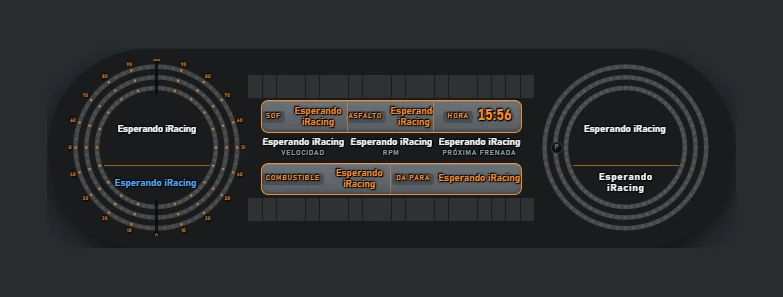
On startup, clicks pass through PANEL to the simulator. Only EDITAR catches the mouse.
These defaults apply to all overlays and can be changed in the Suite's AJUSTES (see SUITE manual).
| Shortcut | Action |
|---|---|
| F6 | Edit overlay positions (enter or leave editing mode). |
| Alt+H | Show or hide all overlays. |
| Ctrl+Alt+L | Lock or unlock overlays (click-through). |
The menu is on the right in the Suite. Selections save and appear in PANEL immediately, without another button.
| Area | Button | Action |
|---|---|---|
| Header | ES EN DE FR IT ZH | Change PANEL and its menu language: Spanish, English, German, French, Italian or Chinese. The menu reloads in that language. |
| ✕ | Same as CERRAR MENÚ. | |
| Tabs | LA FORMA (SHAPE) QUÉ PONES (WHAT TO SHOW) LAS TIRAS (THE STRIPS) IMAGEN (APPEARANCE) EL CSV (THE CSV) | Each shows an option group (see 5). |
| Help line | — | Above the footer, hovering over some options shows help. Notices such as Ajustes guardados (Settings saved) also appear here. |
| Footer | Cerrar la aplicación (Close application) | Turns PANEL off, like APAGAR. |
| APLICAR (APPLY) | Saves settings again and says Ajustes guardados. Automatic saving makes this unnecessary. | |
| CERRAR MENÚ (CLOSE MENU) | Hides the Push & Lift screen. |
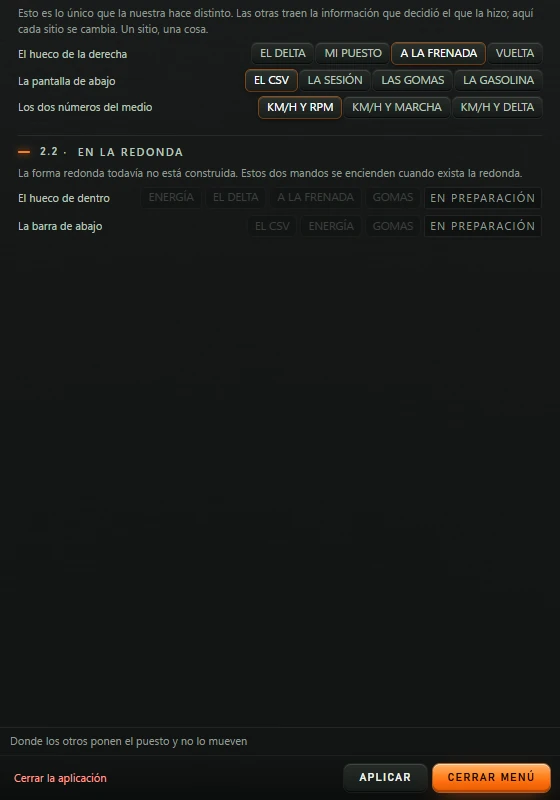
Factory defaults are in parentheses. Menu screenshots show those defaults.
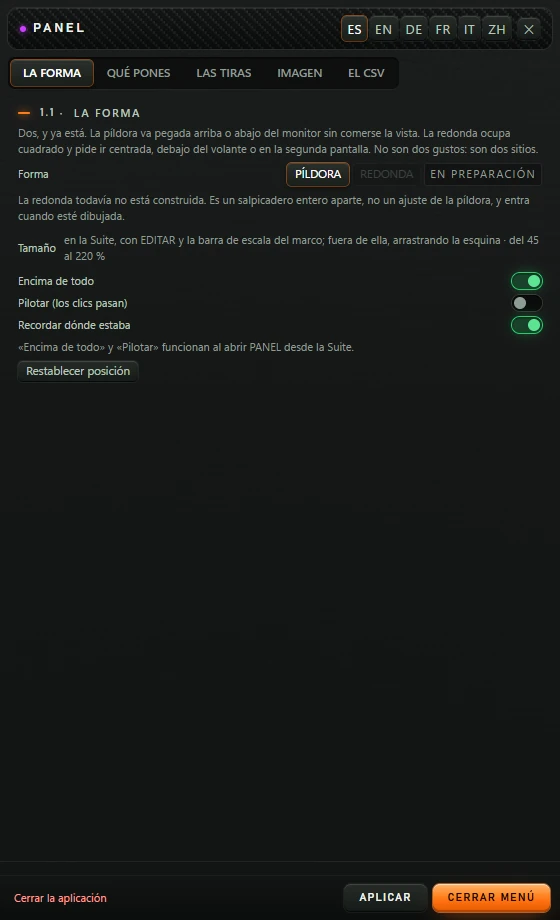
| Option | Action |
|---|---|
| Forma (Shape): PÍLDORA (PILL) / REDONDA (ROUND) (PÍLDORA) | Only the pill shape currently exists. REDONDA is grey with EN PREPARACIÓN (IN PREPARATION) and cannot be selected; the round shape is not built yet. Help: can be changed live. |
| Tamaño (Size) | Informational text explaining where to resize. In the Suite use editing-frame corners (see 4.2) or Tamaño del overlay below the preview (see 2.2). |
| Encima de todo (Always on top) (on) | In the Suite, PANEL always stays above the simulator; this switch makes no visible difference. |
| Pilotar (los clics pasan) (Drive: click-through) (off) | On: clicks pass through PANEL and only EDITAR remains interactive. Off: PANEL receives the mouse on hover. Help says it is meant to be viewed while driving. ENCENDER always starts PANEL click-through, regardless of this setting. |
| Recordar dónde estaba (Remember position) (on) | Saved, but has no visible effect: the Suite always remembers PANEL's position. |
| Restablecer posición (Reset position) | With PANEL on, centres it and saves that position. Useful when off-screen. |
Below the switches, a message says Encima de todo and Pilotar work when PANEL is opened from the Suite.
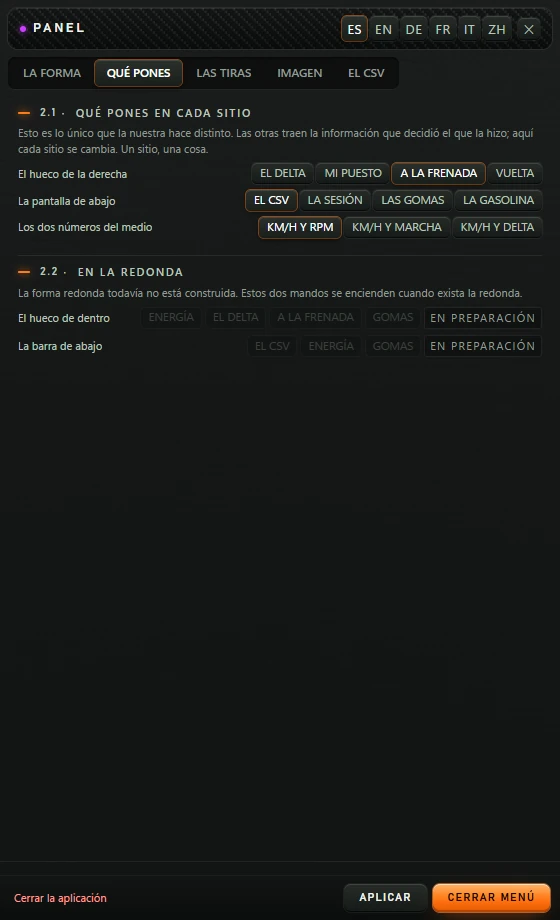
The central value in the right circle. Help: where others put position and never move it.
| Button | What it shows |
|---|---|
| A LA FRENADA (BRAKING) | Required brake percentage for the reference's next corner, and BRAKE/PUSH/LIFT according to what the reference does here (see 4.1). |
| EL DELTA (DELTA) | Your delta in seconds, with DELTA below. |
| MI PUESTO (MY POSITION) | Your position, with car count in smaller type, e.g. 4 /24; PUESTO below. Until standings are firm it says Aún no firme (Not confirmed yet). |
| VUELTA (LAP) | Current lap and total laps in small type; VUELTA below. An estimated total is prefixed with ~. |
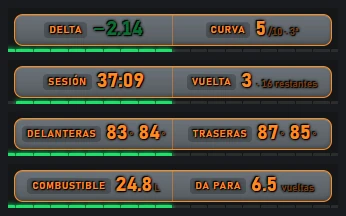
The orange two-field screen below the large values.
| Button | Left field | Right field |
|---|---|---|
| EL CSV (THE CSV) | DELTA against the reference lap. | CURVA (CORNER): next corner / total · reference gear. |
| LA SESIÓN (SESSION) | SESIÓN (SESSION): time remaining (minutes:seconds). | VUELTA (LAP): current lap and laps left (2 · 17 restantes means 2 · 17 remaining). |
| LAS GOMAS (TYRES) | DELANTERAS (FRONTS): temperatures of both front tyres. | TRASERAS (REARS): temperatures of both rear tyres. |
| LA GASOLINA (FUEL) | COMBUSTIBLE (FUEL): litres on board. | DA PARA (RANGE): remaining fuel laps. |
Help: contains temperature, SOF and time, and that is all.
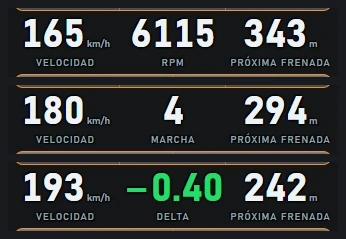
Speed always remains. Changes the middle value between VELOCIDAD and PRÓXIMA FRENADA.
El hueco de dentro (Inner space) (ENERGÍA (ENERGY), EL DELTA (DELTA), A LA FRENADA (BRAKING), GOMAS (TYRES)) and La barra de abajo (Bottom bar) (EL CSV (THE CSV), ENERGÍA (ENERGY), GOMAS (TYRES)) are grey, marked EN PREPARACIÓN and cannot be clicked. They belong to the unbuilt round shape. Bottom-bar help: the upper one is always fuel because it determines the outcome.
| Option | Action |
|---|---|
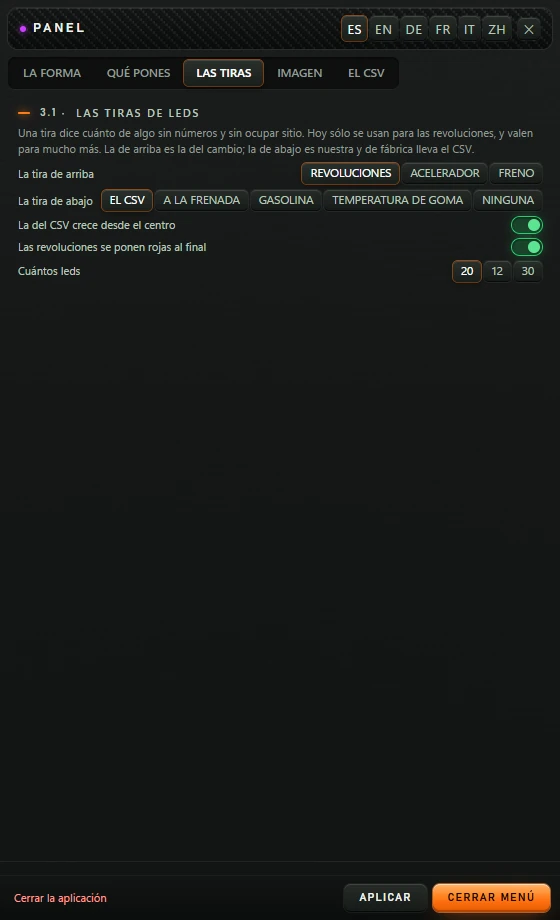
| La tira de arriba (Upper strip) (REVOLUCIONES) | REVOLUCIONES (RPM): shift lights, green with the last three orange. ACELERADOR (THROTTLE): your throttle, green. FRENO (BRAKE): your brake, red. |
| La tira de abajo (Lower strip) (EL CSV) | EL CSV (THE CSV): whether you gain or lose time against the reference. A LA FRENADA (BRAKING): fills orange over the last 300 metres before the next braking point. GASOLINA (FUEL): tank level, blue; red when insufficient to finish. TEMPERATURA DE GOMA (TYRE TEMPERATURE): four groups, one per wheel, fronts first then rears: blue below 48 °C, green up to 95 °C, red above. NINGUNA (NONE): strip stays off. |
| La del CSV crece desde el centro (CSV grows from centre) (on) | On: CSV strip grows from centre, green left when gaining, red right when losing. Off: grows from the left in green or red. |
| Las revoluciones se ponen rojas al final (RPM turns red at the end) (on) | On: at the shift point the last three lights flash red. Off: no flashing. |
| Cuántos leds (LED count): 20 12 30 (20) | Number of lights per strip. Applies to both. |
| Option | Action |
|---|---|
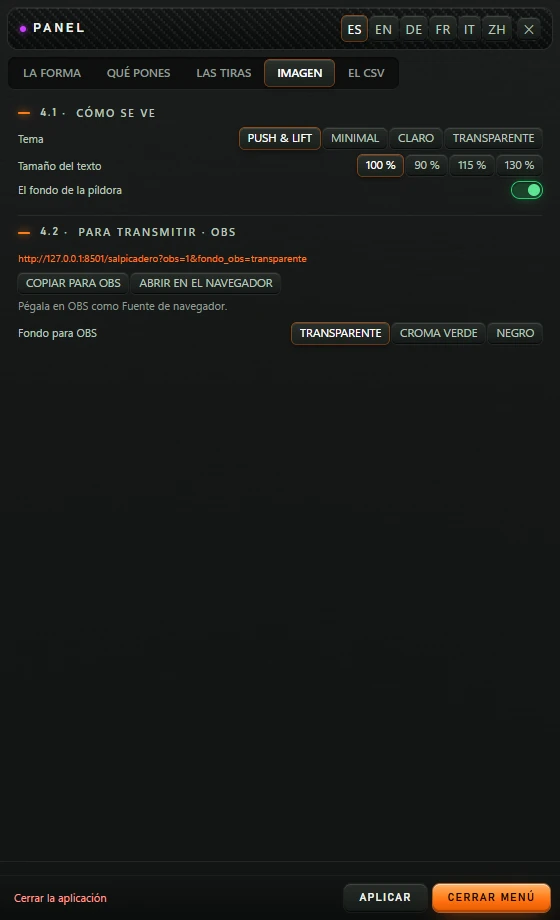
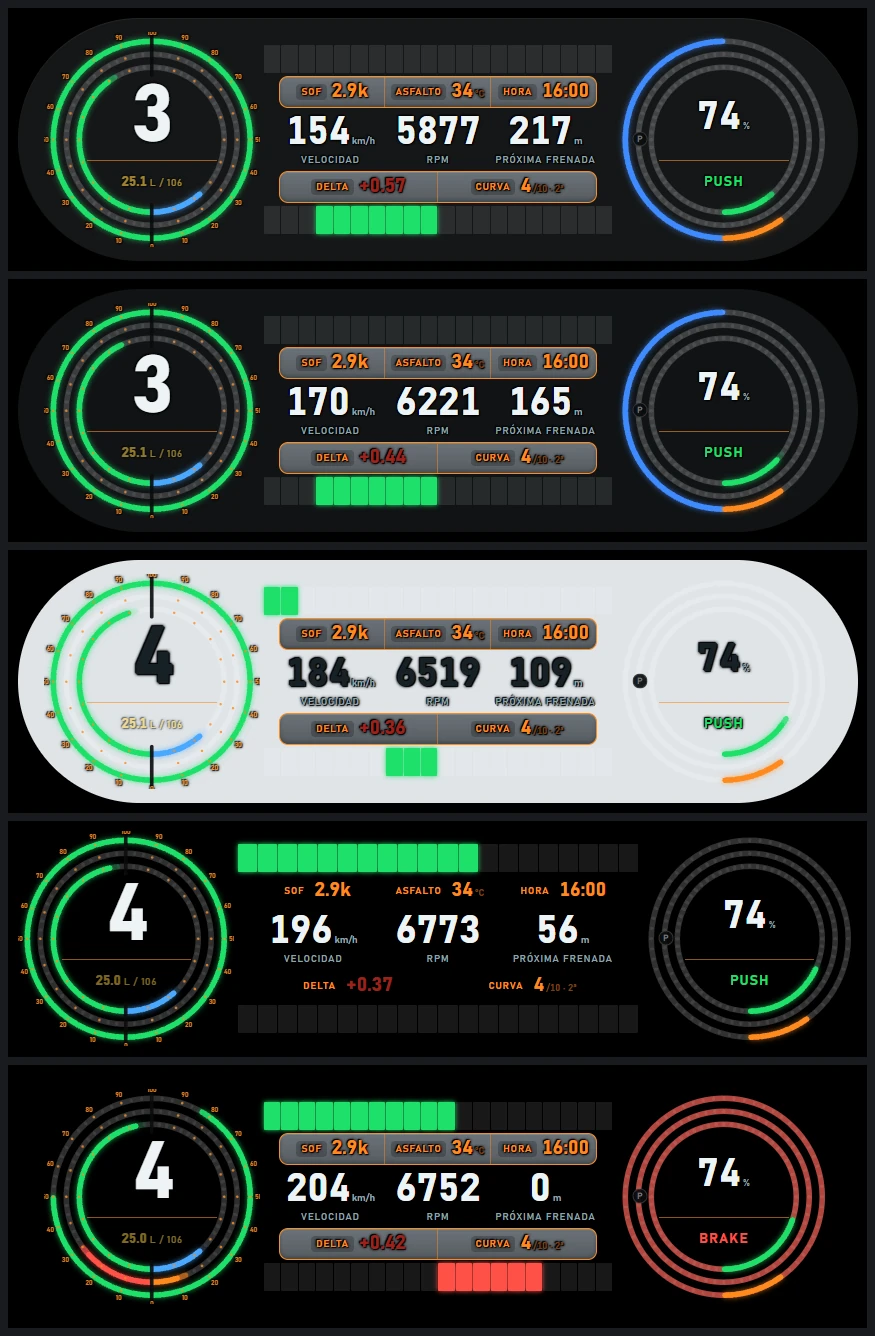
| Tema (Theme) (PUSH & LIFT) | PUSH & LIFT: dark grey pill. MINIMAL: darker pill without shadow. CLARO (LIGHT): light-coloured pill. TRANSPARENTE (TRANSPARENT): no pill or display backgrounds; only rings, lights and text remain. |
| Tamaño del texto (Text size): 100 % 90 % 115 % 130 % (100 %) | Makes PANEL's letters and numbers larger or smaller. |
| El fondo de la píldora (Pill background) (on) | Off: transparent pill, leaving text, rings and displays. Help describes leaving only letters on transparency. |
| Dirección para OBS (OBS address) | PANEL's OBS address. Changes with the selected background. |
| COPIAR PARA OBS (COPY FOR OBS) | Copies the address. Says Copiado — pégalo en OBS como «Navegador» (Copied: paste as Browser in OBS), or No se ha podido copiar. El enlace está ahí arriba. (Copy failed; link is above). |
| ABRIR EN EL NAVEGADOR (OPEN IN BROWSER) | Opens the address separately to preview the OBS result. |
| Fondo para OBS (OBS background) (TRANSPARENTE) | The background PANEL will have in OBS: TRANSPARENTE (TRANSPARENT), CROMA VERDE (GREEN CHROMA) (pure green for chroma-key removal) or NEGRO (BLACK). |
Load the reference lap here. It supplies next braking point, corner, CSV delta and reference pedals. Without a loaded lap, those areas say so.
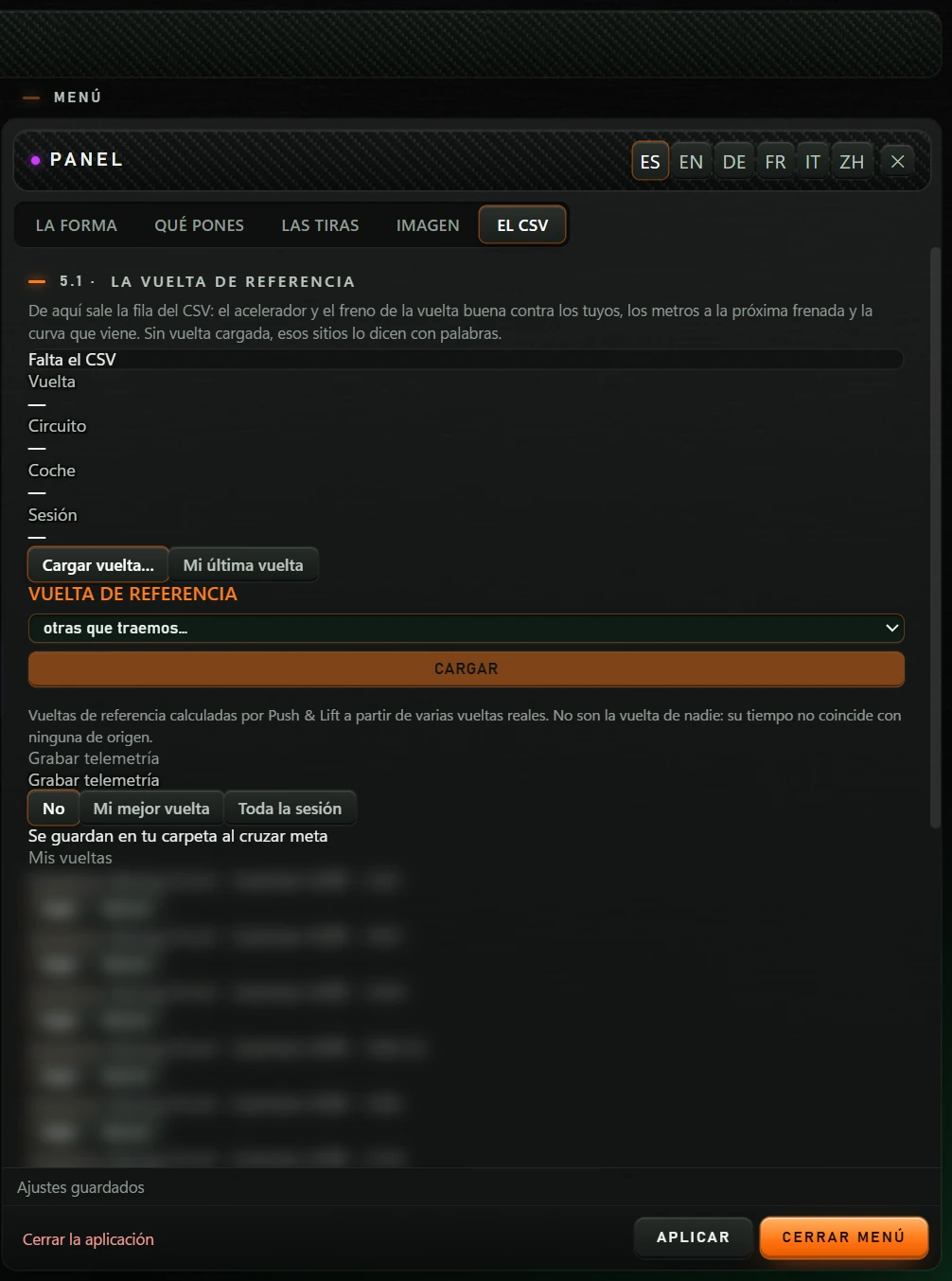
Borrar (Delete) deletes the lap immediately, without confirmation.
You can also use the top button STREAMING which copies a transparent-background address and gives 1060×460 dimensions.
| What happens | What to do |
|---|---|
| Every field says Esperando iRacing. | No data. Start the simulator and go on track. Le Mans Ultimate shows the same message while data is absent. |
| PRÓXIMA FRENADA, CURVA or the right circle says Sin referencia. | Load a lap from EL CSV. |
| EL CSV says Otro circuito or Es de otro coche. | The loaded reference does not match the session. Load one for the same track and car. |
| EL CSV says El motor no responde. Abre PUSH & LIFT. | The engine is off. Open the Suite and turn on PANEL. |
| Cargar vuelta… says Esta ventana no puede abrir el explorador… | Open the menu from PANEL's screen in the Suite. |
| PANEL is off-screen. | With PANEL on, click Restablecer posición (Reset position) on LA FORMA to return to the centre. |
| I cannot move PANEL. | Hover over it and click EDITAR (EDIT) or F6, then drag the frame. |
| PANEL blocks the view and captures clicks. | Enable Pilotar (los clics pasan) in LA FORMA, or press Ctrl+Alt+L. |
| REDONDA and EN LA REDONDA options cannot be selected. | Expected: they are still in preparation. |
| Fuel litres flash yellow. | Fuel is insufficient to finish. |
| I accidentally deleted a recorded lap. | Borrar deletes without confirmation and cannot be undone from the menu. |
| CERRAR MENÚ also hid the Push & Lift screen. | That is its function. Reopen Push & Lift and select PANEL. |